
Customer support that knows your business
Give your support chatbot product documentation, policies and previous cases so it can answer customer questions using your business knowledge, with sources you can check.
Works with
 ChatGPT
 Claude
 Cursor
 Gemini
 Copilot
 Grok
Grok
 Ollama
A ready-made knowledge system you own and take with you. Share useful context and memory across sessions, team members and AI agents.
Gigabrain System: $79 once, before tax. No Gigabrain subscription.
Requires an agent that can access files and run the required tools. Model access and fees are separate.
On your phone? You can buy here.
We’ll email your download link to set up on your computer.
Your knowledge. Your agent. Your computer.
Try Gigabrain
 Your GigabrainLocal files. Yours to keep.
A new conversation should not mean explaining your project from the beginning. Gigabrain gives your AI a persistent place to find the requirements, decisions, source material and previous work you have already collected.
It turns that material into permanent, connected knowledge you own and can carry across chats, agents and team members, without a Gigabrain subscription. Your AI can retrieve relevant passages, follow their connections and ingest updates as your work develops.
Works with:
Connected knowledge
Without Gigabrain
The decisions, constraints and reasons behind the work are scattered across chats, agents and team members.
ChatGPTContext stays in this chat
 Claude
Context stays in this chat
GrokContext stays in this chat
One chat has the brief. Another has the latest decision. A teammate knows why it changed. Your AI sees only the fragment in front of it, so you repeat yourself, correct generic work and undo mistakes that full context could have prevented.
With Gigabrain
The decisions, constraints and reasons behind the work stay connected for you, your team and your AI agents.
ChatGPTClaudeGrok
One persistent knowledge graph
Your project history is ready when the next chat begins.
ChatGPTSeparate conversations
ClaudeSeparate conversations
GrokSeparate conversations
Persistent knowledge
Files, sources and approved decisions
Retrieve context · Ingest updates
Inside Gigabrain
Gigabrain links your source material so your agent can search relevant passages and follow connections between people, projects, ideas and decisions.
Give your support chatbot product documentation, policies and previous cases so it can answer customer questions using your business knowledge, with sources you can check.
Connect product information, customer records and past conversations so your sales agent can answer enquiries and prepare follow-ups informed by what the customer has already told you.
Ask what was agreed, why a decision changed and what needs attention. You or a colleague can retrieve the background from shared project records.
Connect research papers, database records, legal texts and historical archives so your agent can find relevant evidence and follow relationships across sources.
Give your agent books, papers and lecture transcripts to help develop a curriculum, reading lists and lesson drafts, with references to the original material.
Keep plans, appointments and household records available across sessions. Return to ongoing tasks with the background your agent needs, even when you change agents.
These applications use Gigabrain System. You choose the agent, sources and permissions. Customer-facing chatbots and automated actions require the relevant integrations and setup.
Start with one project. Add its files and notes, then ask your agent to find an earlier decision.
After you buy, we email you a private download link. Download the zip file to your computer and unzip it. Open your AI agent, choose Open folder or New project, then select the unzipped Gigabrain folder.
With the Gigabrain folder open in your agent, start a new chat and paste this prompt:
Read AGENTS.md in the unzipped Gigabrain folder. Follow its guided setup process. Interview me about my work, goals and sources. Ask me to approve the setup plan before creating my vault. Always use Gigabrain’s documented tools for ingestion, indexing, retrieval and knowledge-graph updates within this vault.The setup instructions are already inside the folder. Your agent reads them, checks your computer and tells you if anything is missing.
Your agent asks what you want help with, what matters most to you and where your information lives. Answer in your own words. It shows you a plain-English plan before changing anything. Approve the plan, and your agent builds your Gigabrain and tells you when it is ready.
Buy Gigabrain once. Keep your knowledge on your computer, customise it around your work and take it with you as your needs change.
Your knowledge lives in local files, not a Gigabrain cloud account. You decide what to add, edit and share with your agent.
Customise the instructions, structure and workflows in plain Markdown. Refine your system as you discover what works for you.
Carry your knowledge forward as projects grow, computers change and you try different agents. No Gigabrain subscription required.
Hosted agents and connected services may process information you share with them.





Bring documents, spreadsheets, email exports and data from apps connected to your AI agent or agent harness into one knowledge system. Optional local speech tools turn voice notes and video soundtracks into timestamped transcripts, not analysis of video visuals.
App access depends on your agent, tools and permissions. Gigabrain does not include every connector shown. Scheduled imports and graph authoring need setup and your approval.
Give your AI agent persistent, source-linked knowledge from the files you already own.
$79 once
The complete knowledge and memory system for your AI agent.
One-time download. $79 before tax.
Buy now. Set up on your computer later. We email your private download link after purchase. Your agent guides you through setup.
One-time purchase · No coding required · Knowledge stored locally · Model accounts and usage fees are separate
You get the complete Gigabrain knowledge and memory system: source ingestion, semantic and lexical retrieval, a connected knowledge graph, persistent memory, guided agent setup and tools for building your own workflows. See what is included.
You don’t need prior experience, but you will need an AI agent to use Gigabrain. An AI agent pairs an AI model with tools so it can read files, run commands and work through tasks you give it. Claude Code and Codex are examples.
Gigabrain gives your agent a connected knowledge system to draw on across sessions. You’ll need an agent that can work with local files. Check compatibility for your agent and version, then follow the setup guide in your download. New to agents? Start with the setup walkthrough. Some integrations need manual steps.
Neural semantic search finds related meaning, lexical search finds exact terms, and GraphRAG follows connections between records. Results link back to source passages. Citation verification checks quoted text against those passages, not whether the source itself is true.
Your agent can save updates you approve across sessions. Corrections, conflicts and retired records preserve the history. Gigabrain does not automatically capture every chat; access and updates depend on your agent, tools and permissions.
Your files, knowledge graph and persistent AI memory stay on your computer. A hosted AI agent processes the Gigabrain material you share with it. Cloud-assisted graph authoring, sync and remote Git are optional. You choose which data to share and which connections to enable.
No. Gigabrain System is a one-time $79 purchase. Your AI agent account and any model usage fees are separate.

Get Why your AI keeps forgetting, our practical guide to choosing an AI agent, understanding its memory and getting more useful answers.
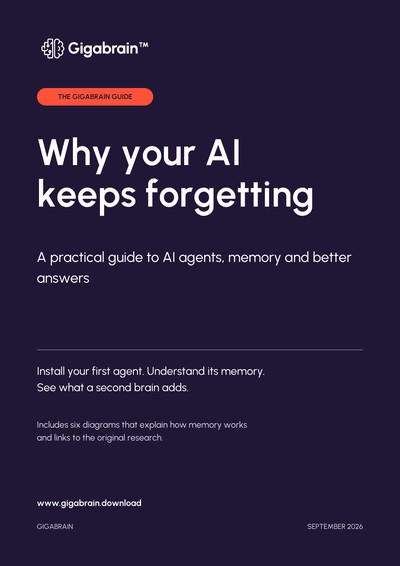
Inside the guide
Free PDF · Practical examples and diagrams